

Complete and Ready-to-Use Lesson Sequences for Every Stage of Your Subject
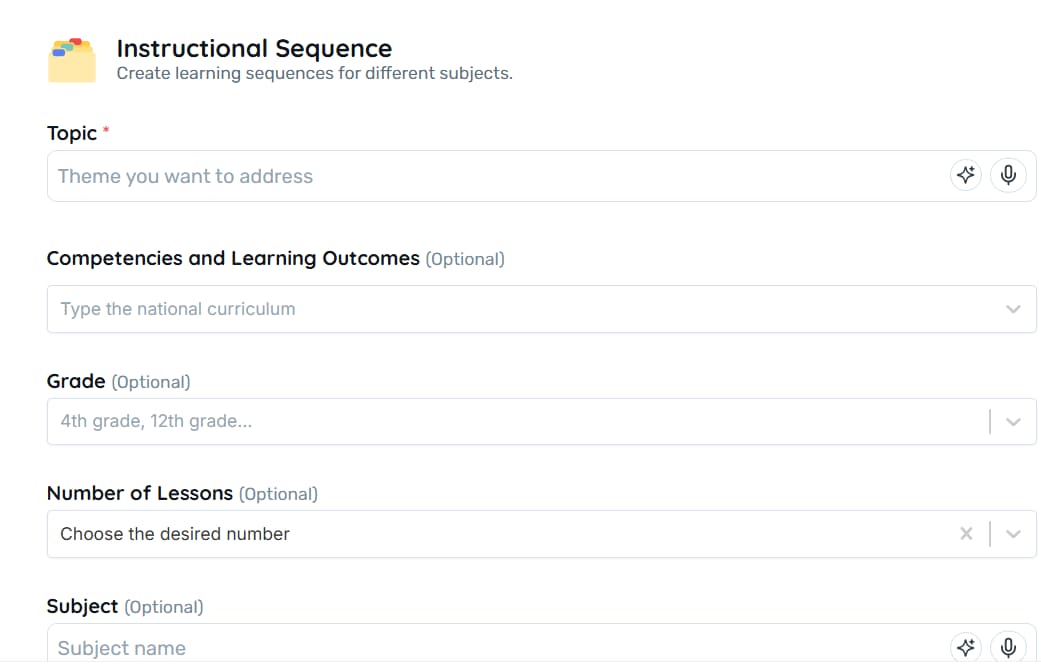
Plan from 1 to 10 lessons in minutes: provide the subject, grade, subject, and context, attach your materials and receive a detailed lesson sequence – featuring objectives, activities, and ready-to-use resources for classroom application.
Why Teachers Love It

Detailed structure for each lesson – each lesson includes: Module Overview, Clear Objectives, Recommended Duration, Materials List, Topic breakdown with detailed explanations, hands-on activities (discussions, analyses, simulations) and a conclusion that reinforces the key points
Flexible time options – choose between 1 or 10 lessons and the AI redistributes the content without sacrificing depth
Optional fields for personalization – grade, subject, specific learning skills, and context fine-tune language, examples, and methodologies
Attachments enrich the outline – PDFs, slides, or exercise lists directly influence the lesson proposals
Integrated web search – (optional) adds up-to-date data and references for ever-evolving topics
Best Practices
What to do
- Specify the number of lessons and the subject focus
- Complete the class profile, challenges, and methodologies
- Attach key materials (PDFs, slides) to guide the AI
- Review duration and activities; adjust times to fit your schedule
What to avoid
- Do not request a 'general' sequence – it will end up superficial
- Don't leave the context empty if you need personalization
- Don't provide only generic content if you already have a basis
- Don't implement without adapting available times or resources
FAQ
Yes. Add as many as you want before generating.
It works for Early Childhood Education, Elementary School, High School, and Higher Education.
Yes. Simply repeat the process and choose a new total number of lessons; the AI will redistribute the content according to the available time.
When the context indicates an interest in active learning, proposals such as flipped classrooms, case studies, station rotation, among others, will appear. Please describe your preference in the Context field.
Yes. Within Teachy, use the "Share" button and select registered colleagues; they will receive read or edit access based on your choice.
After generating, click on download and you'll receive the complete file for offline adjustments.

Reinvent teaching













Resources
2026 - All rights reserved